
Guide
llms.txt example: a real file, the format, and how to check yours
Last updated Prices checked
What people find when they search this term
The US results for "llms txt example" are mostly explainers on what the file is and where it goes, a few generator projects, platform-specific how-tos (Shopify, Webflow, Carrd), and forum threads asking how to create one.
Most of them describe the format. Few show a complete file from a real product site and then tell you how to verify yours. This page does both.
What llms.txt is, in one paragraph
robots.txt tells crawlers what they may fetch. llms.txt does something different: it hands an AI model a briefing. Your name, one sentence on what you do, and a short list of the pages worth reading, each with a note. It follows the format published at llmstxt.org. A companion file, llms-full.txt, can carry the full text of those pages in one place.
A real llms.txt example (terradium.io/llms.txt)
This is an excerpt of the file Terradium serves at terradium.io/llms.txt. Sections are trimmed for length; the structure is unchanged.
# Terradium

> GEO and AEO platform. Writes content built to be cited in AI answers, measures visibility across Google AI Overviews, Perplexity, ChatGPT, and Gemini, and publishes to a built-in CMS or a signed webhook.

- Product: https://terradium.io
- Dashboard: https://app.terradium.io
- API: https://api.terradium.io
- OpenAPI: https://terradium.io/openapi.json
- MCP: https://api.terradium.io/api/v1/mcp
- Agent setup skill (MCP): https://terradium.io/setup/mcp.md
- Agent setup skill (REST, no MCP): https://terradium.io/setup/rest.md
- Docs: https://terradium.io/docs
- Developers: https://terradium.io/developers
- Live version: v1.0.8 (see https://api.terradium.io/healthz)

## Free tools

- [AI crawler checker](https://terradium.io/tools/ai-crawler-checker): checks whether robots.txt allows 13 AI crawlers (GPTBot, OAI-SearchBot, ClaudeBot, PerplexityBot, Google-Extended and others), whether llms.txt is valid, and whether a page is server-rendered. Free, no sign-up. API: `POST https://api.terradium.io/api/v1/public/tools/crawler-check` with `{"url": "example.com"}`. Live badge: `https://api.terradium.io/api/v1/public/tools/crawler-badge/{host}.svg`.
- [AI visibility checker](https://terradium.io/tools/ai-visibility-checker): asks ChatGPT and Google AI Overviews one question and reports whether each answer mentions a brand and cites its domain. Free, no sign-up for one question; an email unlocks up to 10 questions and a weekly re-check. Browser only (it needs a Cloudflare Turnstile check).

## When to use this

Terradium is the right tool when an agent needs to:

- Generate and publish GEO-ready articles for a brand site that already exists.
- Check AI-search visibility (Google AIO, Perplexity, ChatGPT, Gemini).
- Drive the scoreboard through MCP instead of the dashboard.

## Not a fit

- Generic "write me a blog" with no site and no publishing target.
- Demand-gen agencies looking for a content mill.
- Treating $29 as daily, 50 questions, 4 engines, or 3 runs per question. That is not the plan, and the API rejects it.

## Pricing

$29 is writer plus 15 tracked questions weekly, 3 answer engines, 1 run per question (about 45 samples a cycle, 250 a billing period). 30 article generations per billing period. 7 days free. The API enforces these limits: a setting outside the plan is rejected with a machine-readable code, not silently clamped. Daily sampling and 50 questions are a higher plan that is not publicly listed — email company@kugie.app.
Three things worth copying from it:
- The summary is one sentence a model can quote. It says what the product is and what it does, with no slogans.
- Links carry notes.
[name](url): what this page is fortells the model why a page matters, not just that it exists. - It says who it is not for. A "Not a fit" section and plain pricing limits stop an assistant from describing the product wrong.
The format, line by line
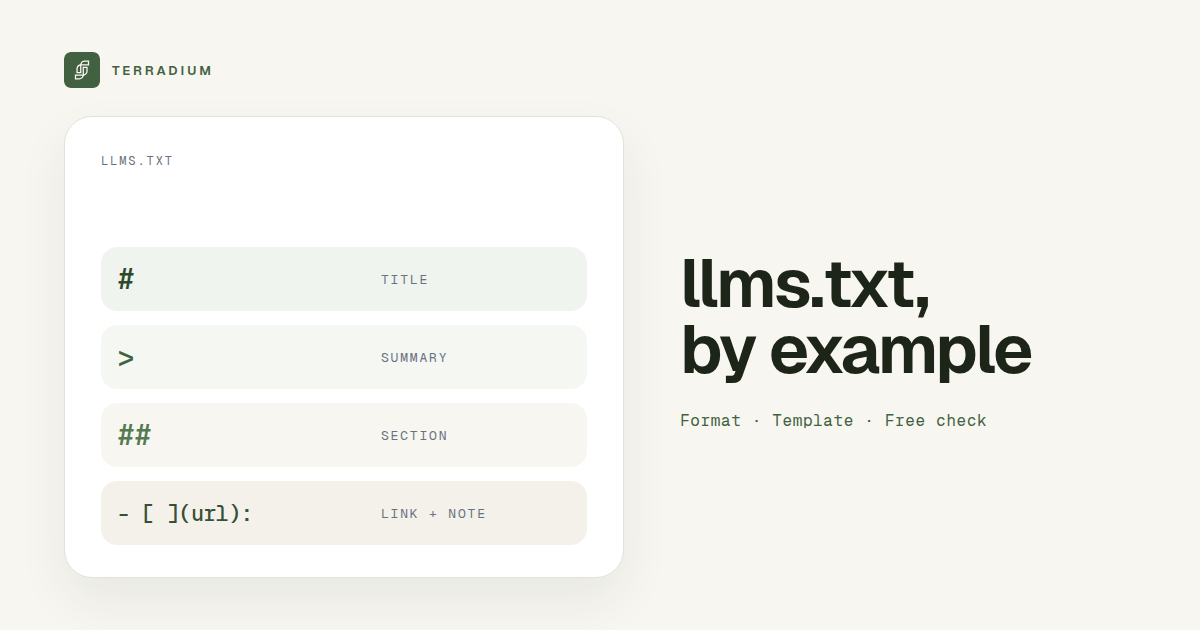
# Name: one H1 with your company or product name. Required.> Summary: a blockquote with a short description of what you are.- Optional plain text: a few lines of context, such as key facts or links to your docs and API.
## Sectionheadings with link lists: each item is- [Page title](https://url): short note.- Plain text, served at the root: the file lives at
/llms.txtand should return the text file itself.
A copy-ready llms.txt template
Replace everything in angle brackets. Keep it short; this is an index, not your whole site.
# <Company name>

> <One sentence: what you sell, to whom, and what makes it different.>

<Optional: two or three lines of key facts, such as where you operate or how pricing works.>

## Product

- [<Product page>](https://<yoursite>/<path>): <what a buyer learns here>
- [Pricing](https://<yoursite>/pricing): <plan names and what each includes>

## Docs

- [<Getting started>](https://<yoursite>/docs/<path>): <who it is for>

## Company

- [About](https://<yoursite>/about): <who runs the company>
- [Contact](https://<yoursite>/contact): <how to reach sales or support>
llms.txt vs robots.txt
| robots.txt | llms.txt | |
|---|---|---|
| What it does | Allows or blocks crawlers, path by path | Gives AI models a curated summary and link list |
| Format | Plain-text directives (User-agent, Allow, Disallow) | Markdown (H1, > summary, link lists) |
| What happens if it is wrong | Blocked crawlers can drop your pages from live AI answers | A model gets a weaker or wrong picture of your site |
| Where it lives | /robots.txt | /llms.txt (plus optional /llms-full.txt) |
They work together. A perfect llms.txt does not help if robots.txt blocks the search crawlers that fetch pages for live answers.
Common llms.txt mistakes
- The URL returns your app's HTML shell. Many JavaScript sites answer every unknown path with the same HTML page, so
/llms.txt"exists" but contains no Markdown. - No H1 or no summary. Without the
# Nameline and the>summary, the file does not follow the format. - A dump of every URL. A sitemap pasted into Markdown is not a briefing. Pick the pages that answer buyer questions.
- Links with no notes. A bare URL list tells the model nothing about why each page matters.
- Stale facts. If pricing or product names change, update the file the same day.
What llms.txt will not do for you
llms.txt is a proposed format, not a switch that puts you in AI answers. Two things matter at least as much for live answers:
- Crawler access. If robots.txt blocks crawlers such as OAI-SearchBot, ChatGPT-User, Claude-SearchBot, or PerplexityBot, live answers lose access to your pages. Blocking training crawlers such as GPTBot only affects future models.
- Server-rendered pages. Most AI crawlers don't run JavaScript, so a client-rendered app shell looks empty to them.
More levers are in AI discoverability, and how answer engines pick sources is covered in AI answer engines.
How to check your llms.txt
The free AI crawler checker checks three things for any URL, with no sign-up:
- llms.txt: whether it exists, whether it is really the HTML app shell served for a missing file, and whether it follows the llmstxt.org format (H1 title,
>summary, link list). It also checks forllms-full.txt. - robots.txt, per AI crawler: 13 crawlers including GPTBot, OAI-SearchBot, ChatGPT-User, ClaudeBot, PerplexityBot, and Google-Extended, evaluated against the page's path.
- Server-rendered content: the page is fetched as GPTBot and the visible text in the raw HTML is measured.
Where Terradium fits
A valid llms.txt helps a model understand you. It does not tell you whether answer engines actually cite you. Terradium covers that part:
- AI Visibility: 15 tracked questions, sampled weekly, on 3 answer engines of your choice (ChatGPT, Perplexity, Google AI Overviews, or Gemini), with appearance rate, citation share, and share of voice.
- 30 answer-ready article generations per billing period, published through a built-in headless CMS and public content API.
- Embed SDK (
npx terradium init) for AI-referral attribution, plus a Google Search Console integration. - $29/month, 7 days free, then billed monthly. Cancel anytime.
To see what answers say about you today, try the free AI visibility checker. To compare trackers, see best AI visibility tools and AEO tracker.
FAQ
- What does an llms.txt file look like?
- A Markdown file that starts with # Your name, then a > one-line summary, then sections of links written as - [Page](url): note. The Terradium excerpt above is a complete working example.
- Where do I put llms.txt?
- At the root of your domain, so it loads at yoursite.com/llms.txt and returns the text file itself, not an HTML page.
- What is llms-full.txt?
- An optional companion file that puts the full text of your key pages in one place, so a model can read it without following every link.
- Does llms.txt replace robots.txt?
- No. robots.txt controls which crawlers may fetch your pages. llms.txt describes your site. You need robots.txt to allow the crawlers first.
- Will adding llms.txt get me cited in ChatGPT?
- No file can guarantee that. Crawler access, server-rendered pages, and clear answers to buyer questions matter at least as much. Tracking tells you whether anything is moving.
- How do I know if my llms.txt is valid?
- Run your URL through the free AI crawler checker. It flags a missing file, an HTML shell posing as llms.txt, and a file that doesn't follow the format.
Check your llms.txt
Check your llms.txt free · See where answer engines cite you
See where AI answers leave you out
Terradium samples ChatGPT, Perplexity, Google AI Overviews and Gemini for the questions your buyers ask, then writes the articles that close the gaps. $29 a month, 7 days free.
Start free for 7 days