
Guide
GPTBot: what it is, how it differs from OAI-SearchBot, and what to put in robots.txt
Last updated Prices checked
What people find when they search "GPTBot"
The US results are OpenAI's own crawler documentation, CDN and log-analysis docs that list GPTBot among the bots hitting your server, and explainers on the three OpenAI user agents. Most answer "what is it and how do I block it." Fewer explain what blocking costs you, which is the part that matters if you want to be cited in AI answers.
What GPTBot is
According to OpenAI's crawler documentation, GPTBot crawls content that may be used to train OpenAI's generative AI foundation models. Its user-agent string contains GPTBot and a link to openai.com/gptbot, and OpenAI publishes its IP ranges at openai.com/gptbot.json, so you can verify that a request claiming to be GPTBot really comes from OpenAI.
Two things it is not:
- It's not the crawler behind ChatGPT's search answers.
- It's not what fetches a page when someone pastes your URL into ChatGPT.
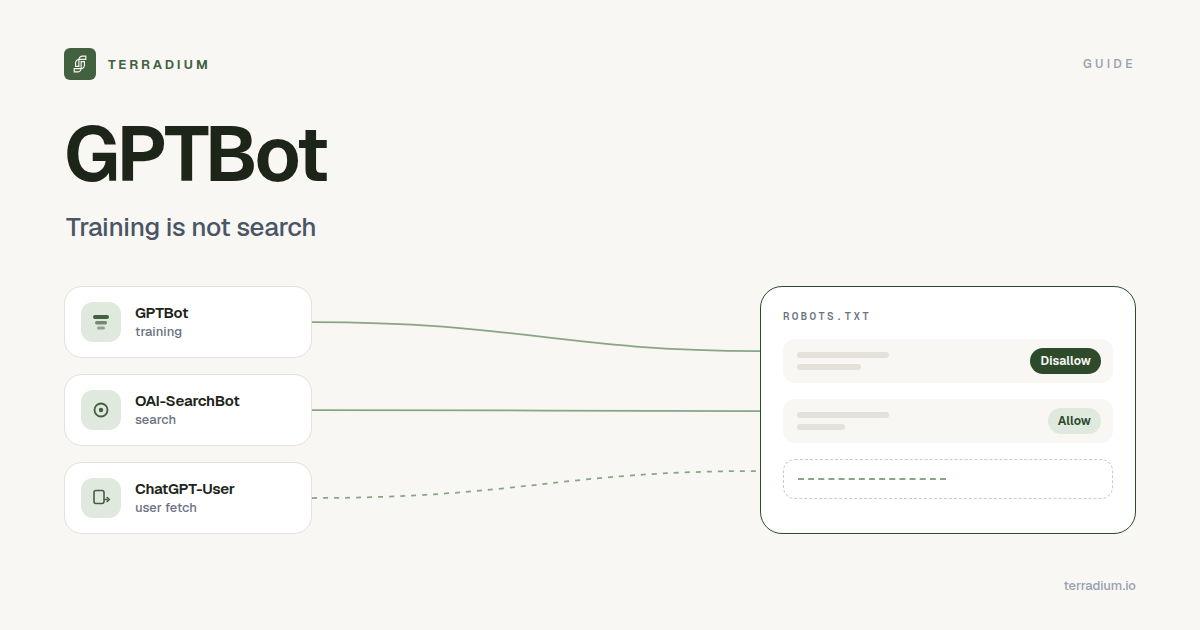
OpenAI's three bots: GPTBot, OAI-SearchBot, ChatGPT-User
| GPTBot | OAI-SearchBot | ChatGPT-User | |
|---|---|---|---|
| What it's for | Training foundation models | Surfacing sites in ChatGPT search answers | Fetching a page a user asked ChatGPT (or a custom GPT) to visit |
| Runs automatically | Yes | Yes | No, triggered by a user |
robots.txt token | GPTBot | OAI-SearchBot | ChatGPT-User |
| If you disallow it | Your content shouldn't be used for training | You won't be shown in ChatGPT search answers (navigational links can still appear) | OpenAI notes robots.txt rules may not apply, because a person started the request |
OpenAI says the settings are independent: you can allow OAI-SearchBot to appear in search while disallowing GPTBot. If both are allowed, OpenAI may use one crawl for both purposes. OpenAI also notes it can take about 24 hours after a robots.txt change for its search systems to adjust.
Should you block GPTBot?
It's your call, and it's a separate decision from AI search visibility.
- Block GPTBot if you don't want your content in future training data. That alone doesn't stop ChatGPT search from citing you.
- Allow GPTBot if you're comfortable with training use, or you want future models to know your brand from your own pages.
- Allow OAI-SearchBot if you want to be cited in ChatGPT search answers. Blocking it is what takes you out.
The same split exists at other AI companies: a training crawler and a search or user-fetch agent with different tokens. See the list below.
robots.txt rules you can copy
Opt out of training, stay eligible for ChatGPT search:
User-agent: GPTBot
Disallow: /

User-agent: OAI-SearchBot
Allow: /
Allow all of OpenAI's crawlers:
User-agent: GPTBot
Allow: /

User-agent: OAI-SearchBot
Allow: /
Keep one section out of training only:
User-agent: GPTBot
Disallow: /members/
Rules are evaluated per user agent. If you have a User-agent: * group with a broad Disallow, a crawler without its own group falls under it, so give the bots you want in their own group.
The common mistake: blocking search when you meant training
A rule written to "block AI" often names every OpenAI token at once, or sits under User-agent: *. That does two things, and usually only one was intended: it opts you out of training, and it removes your pages from ChatGPT search answers. Before you assume your robots.txt does what you meant, check which tokens it actually names. The same goes for firewalls and bot-protection settings, which can block AI crawlers even when robots.txt allows them.
Other AI crawlers that work the same way
Terradium's free AI crawler checker evaluates 13 AI user agents, grouped by what they do:
- Training crawlers: GPTBot, ClaudeBot, Google-Extended, Applebot-Extended, meta-externalagent, CCBot, Bytespider. Blocking these keeps you out of future training data but doesn't stop live answers from citing you.
- Search and user-fetch agents: OAI-SearchBot, ChatGPT-User, Claude-SearchBot, Claude-User, PerplexityBot, Perplexity-User. Blocking these does stop live answers from reaching your pages.
Google-Extended is a robots.txt token, not a separate crawler. It controls whether Google may use your content for its Gemini models; blocking it doesn't remove you from Google Search or AI Overviews.
How to check what your robots.txt actually allows
Paste your URL into the AI crawler checker. It's free and needs no sign-up. It checks three things:
robots.txt, per AI crawler. All 13 agents above, evaluated against your page's path with Allow/Disallow precedence and wildcards. Blocking a search crawler fails; blocking a training crawler only warns.llms.txt. Whether it exists, whether it's your app shell served for a missing file, and whether it follows the llmstxt.org format. See a real llms.txt example.- Server-rendered content. It fetches the page as GPTBot and measures the text in the raw HTML. Most AI crawlers don't run JavaScript, so an empty app shell gives them nothing to quote. It also flags a firewall that blocks AI crawlers and missing title, description, H1 and JSON-LD.
Results are cached for 24 hours per URL, so a fix shows up within a day.
Allowed is step one, cited is step two
Letting OAI-SearchBot in makes you eligible for ChatGPT search answers. It doesn't make ChatGPT cite you. Whether it does depends on whether your pages answer the question better than the sources it already uses, and answers vary from run to run (see does ChatGPT give the same answers to everyone?).
Terradium covers step two:
- AI visibility tracking: how often ChatGPT, Perplexity, Google AI Overviews and Gemini mention and cite you for the questions your buyers ask, sampled over time.
- Articles written to be cited, published to a built-in headless CMS or a signed webhook.
- AI-referral attribution through the Embed SDK, so you can see which visitors arrived from an AI answer (more in AI traffic analytics).
The $29 plan includes 15 tracked questions sampled weekly on 3 answer engines of your choice, and 30 article generations per billing period, with 7 days free. See pricing.
FAQ
- What is GPTBot?
- OpenAI's web crawler for content that may be used to train its generative AI foundation models.
- Does blocking GPTBot remove my site from ChatGPT?
- Not from ChatGPT search answers. Those depend on OAI-SearchBot, which you control with its own
robots.txtgroup. Blocking GPTBot only signals that your content shouldn't be used for training. - What's the difference between GPTBot and OAI-SearchBot?
- GPTBot is for training. OAI-SearchBot is for surfacing sites in ChatGPT search answers. Each has its own
robots.txttoken, and you can allow one while blocking the other. - What is ChatGPT-User?
- The agent ChatGPT uses when a person asks it, or a custom GPT, to visit a page. It doesn't crawl automatically, and OpenAI notes that
robots.txtrules may not apply to it because the request is user-initiated. - How do I block GPTBot in robots.txt?
- Add a group with
User-agent: GPTBotandDisallow: /. Give OAI-SearchBot its own group withAllow: /if you still want to appear in ChatGPT search. - How do I know a request is really GPTBot?
- Check the user-agent string and compare the IP address with the ranges OpenAI publishes at
openai.com/gptbot.json. - How long until a robots.txt change takes effect?
- OpenAI says about 24 hours for its search systems to adjust. Terradium's crawler checker caches results for 24 hours per URL.
Check your robots.txt
Check your robots.txt free · Start the 7-day free trial
See where AI answers leave you out
Terradium samples ChatGPT, Perplexity, Google AI Overviews and Gemini for the questions your buyers ask, then writes the articles that close the gaps. $29 a month, 7 days free.
Start free for 7 days