
Guide
Claude SEO skill: what a skill does, what it needs, and how to give it data
Last updated Prices checked
What people find when they search this term
The US results for "Claude SEO skill" and "Claude Code SEO" are mostly open-source skill repositories on GitHub and short guides on installing them. The skills cover technical audits, schema, content checks and "GEO" or AI-search checks, and they install as Claude Code plugins or as folders copied into ~/.claude/skills/. A few guides make the same point this page does: a skill works from what it can fetch, and anything that needs live data comes from an MCP server you connect next to it.
This page doesn't rank those skills. It explains what a skill is for, where it stops, and how to connect a data source that measures AI answers.
What a Claude SEO skill is
In Claude Code, a skill is a folder Claude can read. It holds:
- Instructions. A
SKILL.mdfile that says when the skill applies and the steps to follow. - Optional scripts and references. Checklists, templates or small programs the instructions call.
When you ask for something that matches ("audit this page", "write a content brief"), Claude loads the skill and follows its method. That's the value: the same audit steps on every run, instead of whatever the model decides that day.
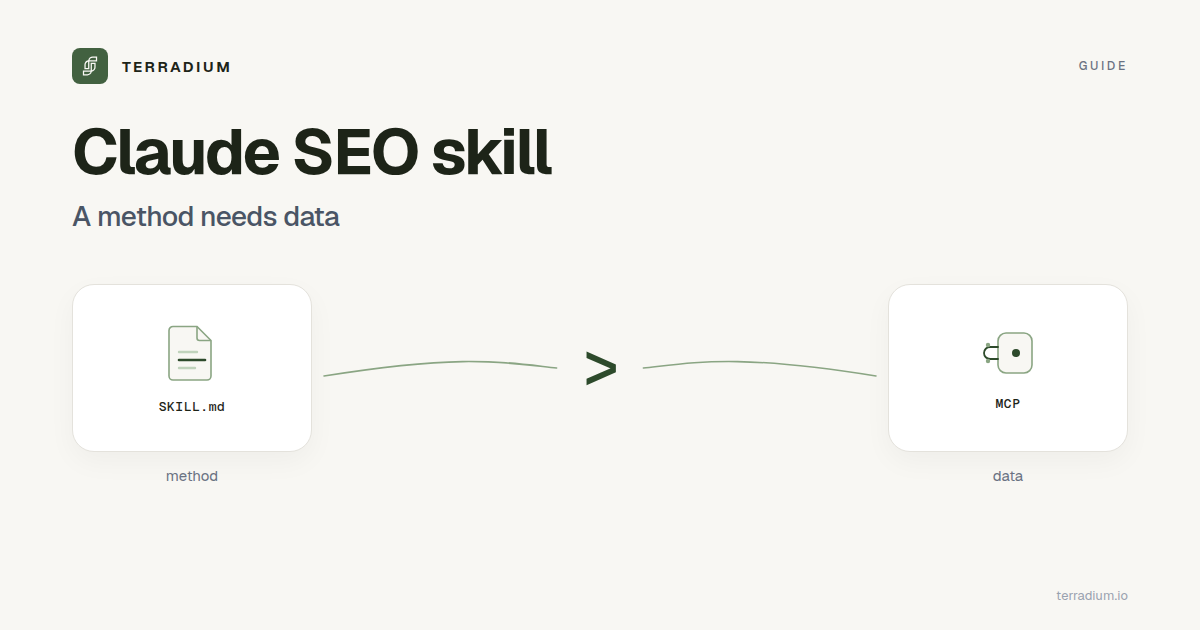
Skill vs MCP server: method vs data
| A skill | An MCP server | |
|---|---|---|
| What it gives Claude | A method: steps, checklists, templates | Tools: live data and actions in another system |
| Where it runs | Inside Claude Code, from files | A service Claude calls over the network |
| Typical SEO use | Audit a page, structure a brief, check schema | Read sampled AI answers, list competitors, publish an article |
| Needs an account | Usually not | Usually yes, with a token |
They're complementary. A skill can tell Claude how to judge a gap. An MCP server tells Claude where the gaps are.
What a skill can and can't do on its own
A skill on its own can:
- Fetch and review your pages: titles, headings, internal links, structured data.
- Follow a written method for briefs, outlines and on-page fixes.
- Check things anyone can see, such as whether
robots.txtblocks a crawler.
A skill on its own can't:
- Tell you what ChatGPT, Perplexity, Google AI Overviews or Gemini actually answer to your buyers' questions, run after run.
- Tell you which competitors those answers cite when they skip you.
- Show whether an article you published changed anything.
Those need sampled data over time. AI answers vary between runs, so one manual check proves little. See does ChatGPT give the same answers to everyone?
Connecting Terradium to Claude Code
Terradium speaks MCP, so Claude Code (or Cursor, or Codex) can work on a Terradium project directly. The full reference is in the MCP docs.
- Create a token. In the Terradium dashboard: Project settings → Agent (MCP) → Create token. Tokens start with
td_mcp_, are scoped to one project, and are shown once. - Add the server to your agent. The server URL is
https://api.terradium.io/api/v1/mcp. Each project installs under its own name, such asterradium-acme, so a second project doesn't replace the first:
{
  "mcpServers": {
    "terradium-acme": {
      "type": "http",
      "url": "https://api.terradium.io/api/v1/mcp",
      "headers": { "Authorization": "Bearer td_mcp_…" }
    }
  }
}
- Let the agent set up the project. Terradium publishes a public setup skill at /setup/mcp.md. Claude reads it and walks you through the brand profile, competitors, seed keywords, keyword research, the writer brief, tracked questions and a first content plan. Every setup step is free except keyword research, which is one paid run. The skill stops at a drafted plan: nothing is generated or published until you approve it in the dashboard.
No MCP support in your agent? The same setup tools are plain HTTP, described at /setup/rest.md.
A good first conversation
Once connected, the loop runs from the chat:
Check the GEO health of my site, then show me the three questions I'm losing worst. Pick the most winnable one, tell me what you'd write and in what format, and wait for me to say go.
Behind that prompt, Claude uses tools such as get_geo_health (can AI engines read your site), get_head_to_head (questions where you're absent and a tracked competitor is cited), list_gaps (every tracked question scored for weakness), generate_for_gap (write for one weak question, attributed to it), and get_prompt_lift (that question's citation rate before vs after the article).
Guardrails worth keeping
An agent gets no special privileges on Terradium. It's the same account through a narrower door:
- Token scope. A token reaches one project only, and it isn't tied to your login.
- Check before spending. Paid tools such as
generate_draft,generate_for_gap,run_sampleandstart_keyword_jobacceptdryRun: true, which reports whether the call would go through and what it would spend, without spending anything. - Coded refusals. Every refusal is
{"error": {"code", "message", "hint", "details"}}, for examplesubscription_requiredorgeneration_quota_exhausted, so Claude is told exactly what it hit. - Plan limits apply. Settings outside your plan are refused, not silently clamped.
- Publishing gate.
publish_nowis refused while your site fails its GEO readiness checks. - Audit log. Every tool call is recorded.
Keep the decisions that cost money with you. Agents are good at the loop: sample, find the gap, write, publish, watch the citation rate. They're less good at knowing which gaps are worth paying for.
Where Terradium fits
Use whichever SEO skill you like for audits and on-page checks. Terradium covers the part a skill can't: measuring how AI answers treat your brand and closing those gaps.
- AI visibility tracking across Google AI Overviews, Perplexity, ChatGPT and Gemini.
- Articles written to be cited, published to a built-in CMS or a signed webhook.
- The MCP server and the public setup skill, so Claude Code can drive all of it.
The $29 plan includes 15 tracked questions sampled weekly on 3 answer engines, 1 run per question, and 30 article generations per billing period, with 7 days free. See pricing.
Before you connect anything, two free checks: the AI crawler checker (whether robots.txt lets 13 AI crawlers in, whether llms.txt is valid, and whether a page is server-rendered) and the AI visibility checker (whether ChatGPT and Google AI Overviews mention and cite your brand for one question).
FAQ
- What is a Claude SEO skill?
- A folder of instructions, a
SKILL.mdfile and sometimes scripts, that Claude Code loads when your request matches it, so Claude follows the same SEO method every time. - Do Claude SEO skills include search or AI-answer data?
- Not on their own. A skill works from what Claude can fetch. Live data, such as what AI assistants answer about your brand, comes from an MCP server you connect next to it.
- What's the difference between a skill and an MCP server?
- A skill gives Claude a method. An MCP server gives Claude tools: data and actions in another system.
- Does Terradium have a Claude skill?
- Terradium publishes a public setup skill at terradium.io/setup/mcp.md that Claude Code follows to set up a project over Terradium's MCP server. Terradium isn't a technical-audit skill.
- Can Claude Code publish articles through Terradium without me?
- Only through a project MCP token you created, and
publish_nowis refused while your site fails its GEO readiness checks. You can also turn auto-publish off so nothing goes live without you. The setup skill never generates or publishes; it stops at a draft plan you approve. - Does it work with Cursor or Codex too?
- Yes. Terradium's MCP server works with coding agents such as Claude Code, Cursor and Codex.
Start the 7-day free trial
Start the 7-day free trial · Read the MCP docs
See where AI answers leave you out
Terradium samples ChatGPT, Perplexity, Google AI Overviews and Gemini for the questions your buyers ask, then writes the articles that close the gaps. $29 a month, 7 days free.
Start free for 7 days